Chapter 20: Saving the Game
Atomic writes, versioned files, and a real device path
Chapter 13 saved six names and six numbers, and in doing so introduced the two ideas that make persistence work on a phone: write to a temporary file and rename it, and save on every change because there is no reliable moment of exit. This chapter takes those ideas and adds the two things a real save file needs that a high score table does not.
The first is a version number. A high score table has one shape for ever. A save file does not: the second release of your game will want to store something the first release did not, and at that moment every save file on every player's device becomes an old-format file that your new code has to read. Without a version field the new build either crashes on old saves or — far worse — reads them as nonsense and loses the player's progress silently.
The second is a corrupt path that is actually exercised. Every save system has code for "the file is damaged"; almost none of them have ever run it. The demonstration in this chapter has a button that deliberately writes rubbish over the save file, because the only way to know your recovery path works is to take it.
What you will learn in this chapter
- What belongs in a save file, and what belongs nowhere near one.
- Why a version field is not optional, and how a migration chain works.
- Why a boring line-based text format is a good default for a small save.
- How to parse defensively so a missing or damaged field costs one value, not the file.
- Why every number and date must be read and written with
InvariantCulture. - Why
RoundtripKindis required on every date you round-trip. - How to report save outcomes precisely enough to diagnose a player's problem.
- The caveats: cloud backup, save scumming, autosave frequency, and what atomicity does not give you.
The code for this chapter
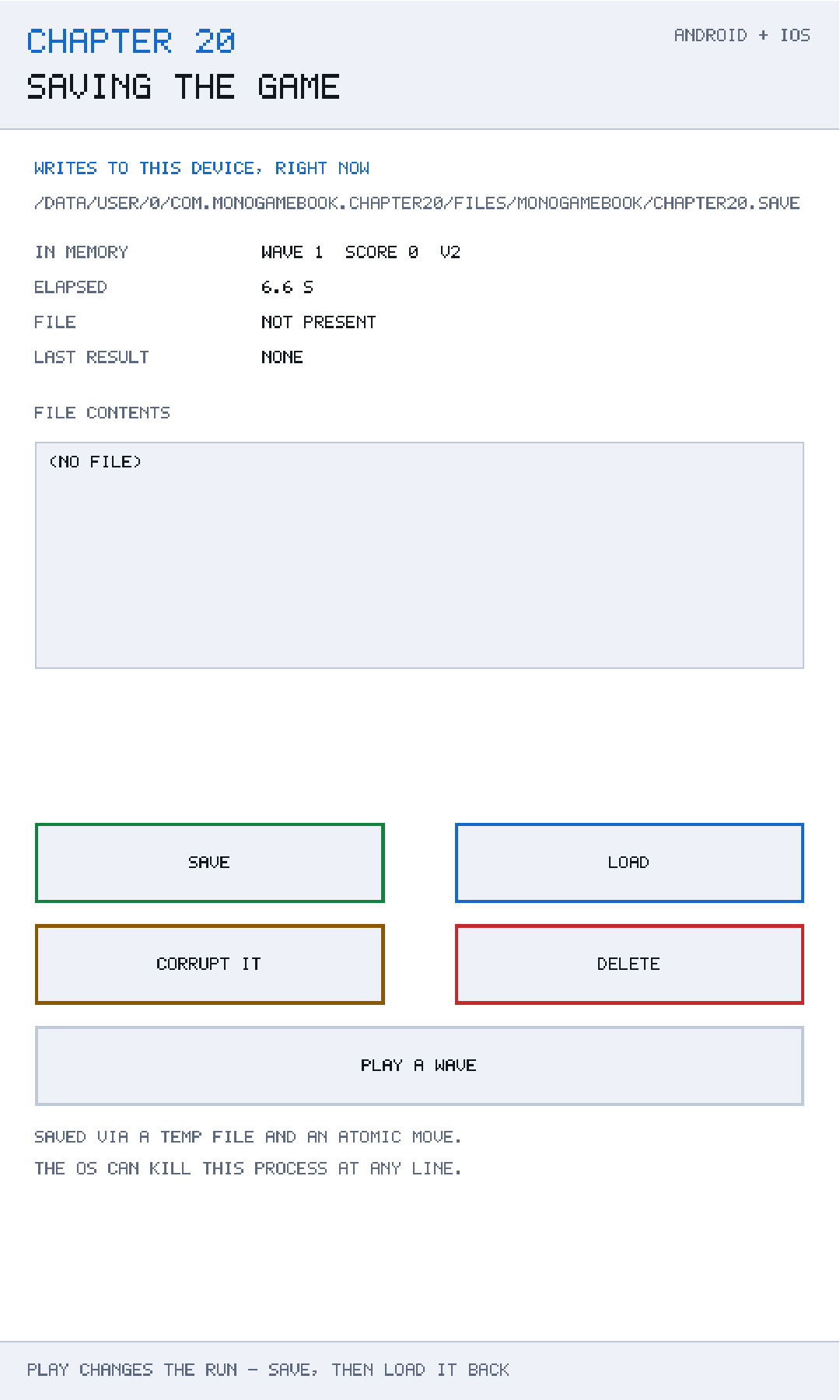
The demonstration is at github.com/nodoid/MonoGameBook/src/Chapter20. It saves a real file to a real path on the device, shows you the path and the file size, and gives you a CORRUPT button that overwrites the file with garbage so you can watch the loader refuse it cleanly.
What goes in
public sealed record SaveData(
    int Version,
    int Wave,
    int Score,
    float ElapsedSeconds,
    string BoardState,
    DateTime SavedAtUtc)
{
    public const int CurrentVersion = 2;

    public static SaveData NewRun() =>
        new(CurrentVersion, 1, 0, 0f, new string('.', 81), DateTime.UtcNow);
}
Six fields. The discipline is in what is absent.
There is no SudokuBoard object, no GameStateMachine, no entity list. BoardState is the eighty-one-character string from Chapter 15, because a save file should contain data, not objects. Serialising live objects couples your file format to your class layout, so a refactor that renames a field breaks every save file in the world.
There is no derived state either. Chapter 9's alien speed, Chapter 16's conflict set and Chapter 19's candidate lists are all recomputed from what is stored. Anything you can recompute, you should — storing it doubles the number of things that can be inconsistent.
SavedAtUtc is not needed to restore the game. It is there because it will be in the support email, and knowing when a save was written has resolved more save-file mysteries than any other field.
NewRun() is the shape of a fresh game. Having it as a named factory means "start over" and "no save file exists" produce the same object by the same route.
The version field
The record's comment is unambiguous about why it is there:
Version earns its place the first time you ship an update that adds a field: without it, an old save either crashes the new build or silently loads as nonsense. With it, the loader knows what shape it is looking at.CurrentVersion is 2 in this chapter because version 1 did not have ElapsedSeconds. That is a realistic history and it produces a realistic migration:
/// <summary>Brings an older save up to the current shape, field by field.</summary>
private static SaveData Migrate(SaveData data) => data.Version switch
{
    // Version 1 had no elapsed timer; zero is the honest value for it.
    1 => data with { Version = SaveData.CurrentVersion, ElapsedSeconds = 0f },
    _ => data,
};
Three properties of a good migration are visible here.
It is a chain, not a special case. Each version knows how to become the next one. With three versions you write 1 → 2 and 2 → 3, and a version-1 file passes through both. Writing 1 → 3 directly as well means two code paths to the same place, and they will disagree eventually.
It picks an honest default. A version-1 save genuinely does not know how long the player has been playing. Zero is the truthful answer, and the comment says so. Inventing a plausible-looking value would be worse.
It runs on load, not on save. Files on disk are never rewritten in place. A player who installs the update, plays once and saves gets a version-2 file; one who never plays again keeps a version-1 file that will still migrate correctly in three years.
Never reuse a version number
If a beta build wrote version 3 with one shape and the release writes version 3 with another, no loader can tell them apart. Bump it for every shipped shape change, and keep the old migrations for ever — they cost nothing and each one is a set of players who do not lose their progress.
A deliberately boring format
public static string Serialize(SaveData data) =>
    string.Join('\n',
    [
        $"version={data.Version}",
        $"wave={data.Wave}",
        $"score={data.Score}",
        $"elapsed={data.ElapsedSeconds.ToString(CultureInfo.InvariantCulture)}",
        $"board={data.BoardState}",
        $"saved={data.SavedAtUtc:O}",
]);key=value, one per line. The class comment defends the choice:
It is human readable, which means a support email can include the file; it is trivially diffable; and parsing it needs no dependency. Binary or JSON are both fine choices too — what is not fine is a format with no version field.
That last clause is the real position. The format hardly matters; the version field does. But for a save file of this size, plain text has three practical advantages that are easy to undervalue until you need them: you can read it over someone's shoulder, you can diff two of them to see what changed, and you can hand-edit one to reproduce a bug.
The \n line separator is deliberate — not Environment.NewLine, which is \r\n on Windows. A file written on one platform must parse on another, and a save synced through a backup service can easily cross that boundary. The parser's Split('\n') plus Trim() handles a stray \r anyway, but writing the platform-neutral separator is the right instinct.
Parsing defensively
public static SaveData? Deserialize(string text)
{
    var fields = new Dictionary<string, string>();

    foreach (string line in text.Split('\n', StringSplitOptions.RemoveEmptyEntries))
    {
        int separator = line.IndexOf('=');
        if (separator > 0)
            fields[line[..separator].Trim()] = line[(separator + 1)..].Trim();
    }

    if (!fields.TryGetValue("version", out string? versionText) ||
        !int.TryParse(versionText, out int version))
        return null;

    var data = new SaveData(
        version,
        Read(fields, "wave", 1),
        Read(fields, "score", 0),
        ReadFloat(fields, "elapsed", 0f),
        fields.GetValueOrDefault("board", new string('.', 81)),
        ReadDate(fields, "saved"));

    return Migrate(data);
}
Four decisions, all of which are about what happens when the input is not what you expected.
Parse into a dictionary first, then read fields by name. Order does not matter, unknown fields are ignored, and a field added in a future version is silently skipped by an older build rather than shifting everything after it. A positional format has none of those properties.
The version is the only required field. No version, or an unparseable one, and the file is not a save file at all — return null and let the caller report it. Everything else has a fallback.
Every other field degrades to a default. Read(fields, "wave", 1) gives wave 1 if the wave is missing or damaged. A partially damaged file costs the player one value rather than their whole game, which is almost always the better trade.
`TryParse` everywhere, never `Parse`. The input is a file on a device you do not control. It can be truncated, it can be edited, it can have been written by a different version of your game, and none of those should throw.
Culture, and the bug it causes
Every number is read and written with CultureInfo.InvariantCulture:
private static float ReadFloat(Dictionary<string, string> fields, string key, float fallback) =>
    fields.TryGetValue(key, out string? text) &&
    float.TryParse(text, CultureInfo.InvariantCulture, out float value)
        ? value
        : fallback;
Without it, a device set to French, German or Spanish writes 12,5 and a device set to English reads it as 125 — or fails to read it at all. This is one of the most persistent bugs in international software, it never reproduces on the developer's machine, and it corrupts data rather than crashing.
The rule is simple and absolute: culture-sensitive formatting is for display; files always use the invariant culture.
Dates, and RoundtripKind
The date has its own comment, and it deserves it:
WithoutRoundtripKind,DateTime.TryParseturns "...Z" into a local time, and a save file then drifts by the machine's offset every time it is loaded and written back. It is invisible in UTC and wrong everywhere else.
private static DateTime ReadDate(Dictionary<string, string> fields, string key) =>
    DateTime.TryParse(
        fields.GetValueOrDefault(key),
        CultureInfo.InvariantCulture,
        DateTimeStyles.RoundtripKind,
        out DateTime value)
        ? value
        : DateTime.UtcNow;
Trace the failure. You write 2026-09-08T14:00:00.0000000Z — UTC. You parse it without RoundtripKind, and .NET converts it to local time and marks it Local: in Berlin, 16:00. You save again with :O, which writes 2026-09-08T16:00:00.0000000+02:00. Load again and you get 18:00 local. Every cycle adds the offset.
On a developer machine set to UTC this is completely invisible. On a player's phone in Auckland it is twelve hours a day. :O on the way out and RoundtripKind on the way in are the pair that prevents it, and they must be used together.
Writing it safely
public bool Save(SaveData data)
{
    try
    {
        File.WriteAllText(TempPath, SaveSerializer.Serialize(data));
        File.Move(TempPath, Path, overwrite: true);

        LastOutcome = SaveOutcome.Saved;
        LastError = string.Empty;
        return true;
    }
    catch (Exception error)
    {
        LastOutcome = SaveOutcome.Failed;
        LastError = error.GetType().Name;
        return false;
    }
}
The same temporary-file-then-move as Chapter 13, and the same reasoning:
The operating system can kill the process between any two lines of this method, and a half-written save file is worse than no save file at all. A move is atomic; a write is not.
It is worth being precise about the guarantee. A rename within one filesystem is atomic at the filesystem's metadata level: a reader sees either the old file or the new one. What it does not guarantee is durability — the bytes of the temporary file may still be in a write cache when the rename happens, so a sudden power loss can in principle leave a renamed file whose contents never reached the medium.
Defending against that needs an fsync on the temporary file before the rename, which .NET does not expose directly. For a game save the exposure is small: the window is milliseconds, and the failure requires an abrupt power loss rather than the far more common process kill, which the rename does protect against. Know the limit; do not lose sleep over it.
Outcomes, not booleans
public enum SaveOutcome
{
    None,
    Saved,
    Loaded,
    NothingToLoad,
    Corrupt,
    Deleted,
    Failed,
}
Load returning null is ambiguous — no file, or a damaged one? Those need different responses: the first starts a new game silently, the second should tell the player something went wrong before wiping their progress.
public SaveData? Load()
{
    if (!Exists)
    {
        LastOutcome = SaveOutcome.NothingToLoad;
        return null;
    }

    try
    {
        SaveData? data = SaveSerializer.Deserialize(File.ReadAllText(Path));
        LastOutcome = data is null ? SaveOutcome.Corrupt : SaveOutcome.Loaded;
        return data;
    }
    catch (Exception error)
    {
        LastOutcome = SaveOutcome.Failed;
        LastError = error.GetType().Name;
        return null;
    }
}
Three distinct failures — nothing there, present but not a save file, and could not be read at all — plus LastError carrying the exception type name. Displaying FAILED: UnauthorizedAccessException costs nothing and is the difference between diagnosing a problem and guessing at it.
This is the same instinct as Chapter 12's audio Status and Chapter 13's LastOutcome. Subsystems that touch the outside world should say what happened.
Corrupting it on purpose
/// <summary>Writes deliberate rubbish, so the loader's error path can be demonstrated.</summary>
public void Corrupt()
{
    File.WriteAllText(Path, "this is not a save file");
    LastOutcome = SaveOutcome.Saved;
}
This is the most useful method in the chapter and the one least likely to exist in your own code.
Every save system has a corrupt path. Almost none of them have run it, because corruption is rare and hard to produce on demand — so the recovery code is written, never executed, and is wrong. A button that damages the file on purpose turns an untested path into a tested one, and it takes three lines.
Keep it in your debug build permanently. Then test the full sequence: corrupt, load, observe the outcome, start a new game, save, load again. If any step surprises you, you have just found a bug that would otherwise have arrived as "the game lost my progress".
Caveats
Cloud backup can restore an old save
Both platforms back up app data by default — Android Auto Backup, iOS iCloud backup of the app container. A player who restores a device gets a save file that may be older than the one on their current install, and on Android may arrive on a different device entirely. Two consequences: never assume the save you find is the one you wrote, and never store device-specific identifiers in it.
If a save should not be backed up — because it is a cache, or because restoring it would let a player rewind a purchase — both platforms have a way to exclude it, and both are configured in the platform head rather than in your game code.
Autosave frequency
Chapter 13 saved on every change, which is right for six lines. A save file is larger and the write is not free, so saving on every digit entered is wasteful. Save at natural checkpoints — end of wave, puzzle solved, digit entered but no more than once every few seconds — and always on Game.Deactivated, which is the closest thing mobile gives you to a warning.
A save file is not secure
It is plain text in the app sandbox. On a rooted or jailbroken device a player can edit their score. For a single-player game, let them; the effort of defending it is better spent elsewhere. If a value is competitive or purchasable, it belongs on a server.
Deleting the temporary file
If the process dies between the write and the move, chapter20.save.tmp survives. Harmless, and worth cleaning up at startup — and worth noticing, because its presence means the previous run died mid-save.
One save slot
This design has a single file. Multiple slots means a filename per slot and a decision about what happens when a slot is corrupt. The atomic-write and versioning machinery is unchanged; the only new work is the UI.
Building and running this chapter
The solution is src/Chapter20/Chapter20.sln in the book's repository at github.com/nodoid/MonoGameBook/src/Chapter20.
cd src/Chapter20
dotnet build Android/Chapter.Android.csproj
dotnet build iOS/Chapter.iOS.csproj
To deploy to a connected Android device or a running emulator:
dotnet build Android/Chapter.Android.csproj -t:RunTo run on the iOS Simulator:
dotnet build iOS/Chapter.iOS.csproj -p:RuntimeIdentifier=iossimulator-arm64
xcrun simctl install booted \
  iOS/bin/Debug/net10.0-ios/iossimulator-arm64/Chapter20.iOS.app
xcrun simctl launch booted com.monogamebook.chapter20
The path shown on screen is real. On Android you can pull the file with adb shell run-as com.monogamebook.chapter20 cat files/...; on the simulator it is an ordinary file in the app container that you can open in a text editor.
Try it yourself
- Save, then read the file. Six lines of
key=value, which is exactly what you would want attached to a support email. - Press CORRUPT, then LOAD. The outcome is
CORRUPT, not a crash and not a silently empty game. - Delete the
version=line by hand and load. The file is rejected outright, because without a version nothing else can be trusted. - Change
version=2toversion=1and load. The elapsed timer resets to zero and everything else survives — that is the migration running. - Remove
CultureInfo.InvariantCulturefromReadFloat, set your device to a locale that uses a decimal comma, and watch the elapsed time become wrong.
Summary
A save file needs two things a high score table does not: a version number and a corrupt path you have actually taken.
The version field is what lets a future build read a past build's file. Migrations are a chain — each version knows how to become the next — they run on load rather than rewriting files in place, and they pick honest defaults for data that genuinely did not exist. Never reuse a version number, and never delete an old migration.
Store data, not objects. An eighty-one-character board string survives a refactor; a serialised SudokuBoard does not. Store nothing you can recompute, and store the save timestamp even though you do not need it, because it will be in the support email.
Parse defensively: fields into a dictionary so order does not matter and unknown keys are ignored, TryParse everywhere, a fallback for every field except the version, and InvariantCulture on every number and date. :O on the way out and RoundtripKind on the way in, together, or your timestamps drift by the timezone offset on every cycle.
Write to a temporary file and rename it, because a rename is atomic and a phone can stop your process between any two lines. Report outcomes precisely — nothing to load, corrupt and failed are three different things needing three different responses — and keep a button that corrupts the file on purpose, because an untested recovery path is a broken one.
Chapter 21 collects on a promise made in Chapter 1. Because Core has never referenced MonoGame, everything in it — the accumulator, the rules, the state machine, this serialiser — can be tested with no graphics device at all, and the test suite can run inside the game on the device.