Chapter 8: Player Movement
Following a finger without feeling glued to it
Ask a beginner to make a ship follow the player's finger and they will write one line:
ship.X = touch.Position.X;It works perfectly. It is also, on a phone, one of the least pleasant control schemes you can ship — and the reasons are interesting enough to be worth a chapter, because they are not about code quality at all. They are about the fact that the input device is a finger resting on top of the thing it is controlling.
Direct positioning feels dead. There is no weight, no momentum, no sense that the ship is a physical object; it is a cursor. Worse, the ship is permanently under the player's thumb, so they cannot see it. And worst of all, the ship inherits every wobble of the human hand, so a game that requires precision becomes a game that punishes you for having a pulse.
The fix is not one thing. It is a set of small, individually boring decisions — acceleration instead of position, drag, a speed cap, and an authority curve near the target — that together turn a cursor into a ship. This chapter implements three control models side by side, puts a live speed trace under them, and hands you a device so you can decide with your thumb rather than by reading.
What you will learn in this chapter
- Why setting position directly from touch feels wrong, in terms you can act on.
- Three control models — direct, smoothed and accelerated — and what each one costs.
- How to write frame-rate-independent smoothing, and why the obvious version is wrong.
- What drag does to an accelerated control, and why it is the parameter that decides the feel.
- Why an accelerated control needs an authority curve near the target, and what happens without one.
- How to handle the moment the finger lifts so the ship does not stop dead.
- Why clamping to the playfield must zero the velocity, not just the position.
- The caveats: the thumb covering the ship, offset controls, and tuning on hardware.
The code for this chapter
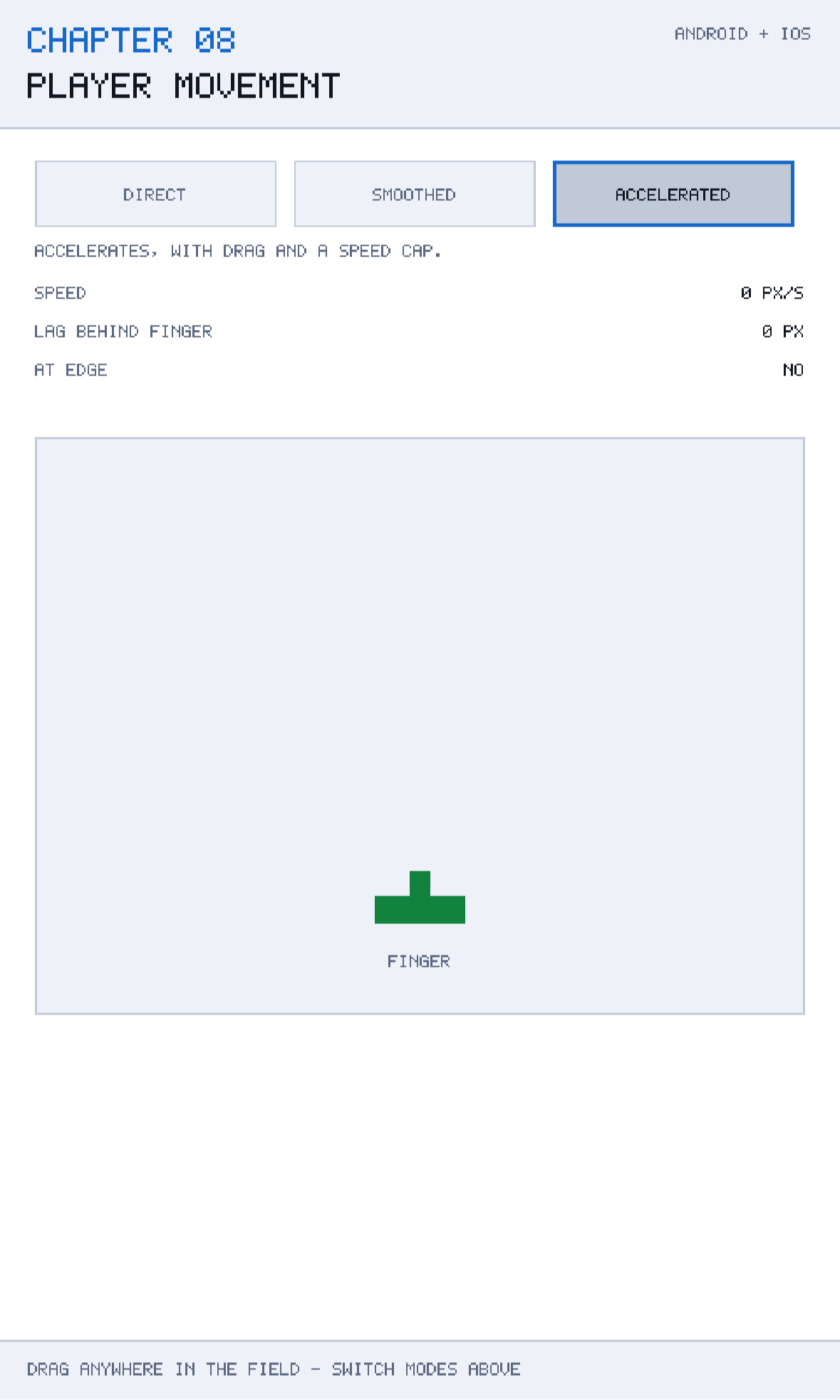
The demonstration is at github.com/nodoid/MonoGameBook/src/Chapter08. Three buttons switch the control model; dragging inside the field moves the ship; a strip chart under the field records absolute speed over the last few seconds, so the difference between models is visible as well as felt.
Model 1: direct
The one-liner, written honestly:
case ControlMode.Direct:
    VelocityX = (target - X) / MathF.Max(seconds, 0.0001f);
    X = target;
    break;
The position assignment is the control. The velocity line is bookkeeping — it back-computes what speed the ship would have needed, purely so the strip chart has something to draw and so other systems (a thruster particle emitter, say) can read a meaningful number.
The MathF.Max(seconds, 0.0001f) guard is not paranoia. On the first frame after a resume, or during the stall Chapter 4 injects, seconds can legitimately be zero, and dividing by it gives you Infinity — which then propagates into every subsequent calculation as NaN and takes the ship off screen permanently. Any division by an elapsed time needs this guard.
Run the demonstration in Direct mode and drag. Three things are wrong, and they are worth naming precisely.
The trace is spiky. Speed jumps between zero and enormous values, because it is the derivative of a signal sampled from a human hand. Anything downstream that reads velocity — engine glow, screen shake, a trailing camera — will be equally spiky.
The ship has no weight. Reversing direction is instantaneous. Nothing in the game world can convey mass if position is assigned rather than integrated.
There is no error to see. The ship is exactly where the finger is, which means it is exactly under the finger, which means the player cannot see it.
Model 2: smoothed
The obvious improvement is to move a fraction of the way towards the target each frame:
case ControlMode.Smoothed:
    float blend = MathF.Min(1f, SmoothingPerSecond * seconds);
    float previous = X;
    X += (target - X) * blend;
    VelocityX = (X - previous) / MathF.Max(seconds, 0.0001f);
    break;
This is exponential smoothing, and it produces a ship that trails behind the finger and catches up. The trace is far smoother. Two details make it correct rather than merely plausible.
Frame-rate independence
The version everybody writes first is:
X += (target - X) * 0.2f; // wrongTwenty per cent of the remaining distance, per frame. At 60 fps that is a certain response; at 30 fps the ship covers half as much ground per second; at 120 fps it is twice as fast. The control literally feels different on different phones, which is the same class of bug Chapter 4 dealt with for physics.
Multiplying the rate by elapsed time — SmoothingPerSecond * seconds — makes the response depend on wall-clock time instead. At 12 per second, the ship closes about 18% of the gap in a 16 ms frame and about 33% in a 33 ms frame, which is the same rate of approach.
Strictly, exponential decay is 1 - MathF.Exp(-rate * seconds), and the linear rate * seconds used here is its first-order approximation. The difference is negligible below about 0.25 seconds per frame and the approximation is much cheaper, which is why almost every game ships the linear form. The MathF.Min(1f, ...) clamp is what stops it overshooting on a very long frame.
The lag is the point, and also the problem
Smoothed control feels much better than direct — there is weight now — but it introduces a fixed error: the ship is always behind the finger while you are moving, and the faster you move the further behind it is. In a game where you are dodging, that lag is exactly the thing that gets you killed, and players experience it as the controls being unresponsive rather than as the ship being heavy.
That is the trade this model cannot escape: the smoothing that gives you weight is the same smoothing that gives you lag, and one knob controls both.
Model 3: accelerated
The model to ship separates the two. Instead of moving the ship towards the finger, accelerate it towards the finger and let velocity be a real, integrated quantity:
case ControlMode.Accelerated:
    float direction = Math.Sign(target - X);
    float distance = MathF.Abs(target - X);

    // Ease off close in, otherwise the ship buzzes around the finger.
    float authority = MathF.Min(1f, distance / 40f);
    VelocityX += direction * Acceleration * authority * seconds;
    VelocityX -= VelocityX * MathF.Min(1f, Drag * seconds);
    VelocityX = Math.Clamp(VelocityX, -MaxSpeed, MaxSpeed);
    Integrate(seconds);
    break;
Four lines, four ideas. Take them one at a time.
Acceleration towards the target
direction * Acceleration * seconds is a force. The ship accumulates velocity while the finger is away from it, exactly like a real object being pushed. Reversing direction now takes time, because the existing velocity has to be cancelled first — and that is the entire feeling of mass, expressed in one line.
Drag
VelocityX -= VelocityX * MathF.Min(1f, Drag * seconds) removes a proportion of the current velocity every second. This is the parameter the class comment singles out, and rightly:
Without drag, accelerated control oscillates around the finger for ever; with too much of it the ship may as well be glued to the touch point.
Consider what happens with Drag = 0. The ship accelerates towards the finger, reaches it at maximum speed, overshoots, accelerates back, overshoots the other way, and oscillates for ever — a perfect undamped spring. Drag is the damping term, and its value decides where on the spectrum between "floaty" and "direct" your ship sits. At Drag = 7.5 the ship settles in about a fifth of a second.
The MathF.Min(1f, ...) matters for the same reason it did in smoothing: on a very long frame, Drag * seconds can exceed 1, and subtracting more than 100% of the velocity reverses it. A ship that flies backwards after a stall is a memorable bug.
The speed cap
Math.Clamp(VelocityX, -MaxSpeed, MaxSpeed) bounds the top speed. Without it, holding your finger at the far edge of the screen accelerates the ship without limit, and it crosses the playfield in a single frame — which, as Chapter 10 will show, also makes it capable of passing through solid objects.
The authority curve
This is the least obvious of the four and the one most often missing:
float authority = MathF.Min(1f, distance / 40f);Full acceleration is applied only when the finger is more than 40 units away. Closer than that, the force is scaled down linearly. Without it, the ship arrives at the finger still at full authority, overshoots by a pixel, gets a full-strength push back, overshoots the other way, and buzzes — a high-frequency vibration that looks like a rendering bug and is actually a control-loop bug.
Anyone who has tuned a PID controller will recognise all four terms: acceleration is the proportional gain, drag is the derivative term, the clamp is actuator saturation, and the authority curve is a deadband. Games get to be much cruder about this than robots, because the target is a human hand rather than a setpoint, but the structure is the same.
Letting go
What happens when the finger lifts is easy to get wrong, and the demonstration handles it explicitly:
public void Update(float seconds, float? targetX)
{
    if (targetX is not float target)
    {
        // No finger down: bleed off speed instead of stopping dead.
        VelocityX -= VelocityX * MathF.Min(1f, Drag * seconds);
        Integrate(seconds);
        LagPixels = 0f;
        return;
    }
    ...
}
float? is doing real work in that signature. "No target" is a genuinely different state from "target at x = 0", and encoding it as a nullable makes the distinction impossible to ignore. A sentinel value like -1 would be silently wrong the first time a playfield started at a negative coordinate.
The behaviour on release — keep the velocity, apply drag, keep integrating — is what gives the ship a sense of momentum. Setting VelocityX = 0 instead makes the ship stop dead the instant you lift, which reads as the game having disconnected from you. Coasting for a fifth of a second reads as physics.
Clamping the playfield
The final piece is what happens at the edges:
private void Clamp()
{
    IsClamped = false;

    if (X < minX)
    {
        X = minX;
        VelocityX = 0f;
        IsClamped = true;
    }
    else if (X > maxX)
    {
        X = maxX;
        VelocityX = 0f;
        IsClamped = true;
    }
}
Zeroing the velocity is not optional. If you clamp position and leave velocity alone, the ship sits at the wall with a large stored velocity; the moment the player moves their finger back the other way, that stored velocity has to be cancelled before anything happens, so the control appears to freeze for a fraction of a second. Players describe this as "sticky edges" and it is entirely this bug.
IsClamped is exposed so the renderer can show it — a small flash at the edge, in a real game — which is worth doing because a player who cannot tell they have hit the wall will keep pushing.
Reading the trace
Switch between the three modes while dragging in a circle and watch the strip chart.
- Direct produces a jagged, high-frequency trace with large spikes: the derivative of a hand.
- Smoothed produces a rounded trace that lags the input, with peaks lower and later than direct's.
- Accelerated produces a smooth trace with visible ramps — acceleration and deceleration are actually visible as slopes — and a flat top when the speed cap is reached.
That flat top is worth pointing at. It is the only one of the three models where the ship has a maximum speed the player can learn, and a learnable limit is what makes a dodging game fair.
Caveats
The thumb is on top of the ship
Everything above assumes the finger and the ship occupy the same place, which means the player cannot see the ship they are controlling. The standard fixes, in rough order of popularity:
- Offset control. Keep the ship a fixed distance above the finger. Costs nothing, works immediately, and is what most mobile shooters do.
- Relative drag. The ship moves by the change in finger position rather than to its absolute position, so the player can start their drag anywhere. Excellent for precision; needs a moment of learning.
- A control zone. Reserve the bottom quarter of the screen for input and keep the playfield above it. Wastes screen; unambiguous.
This chapter uses absolute positioning because it makes the three models directly comparable. A real game should pick one of the three above and stick with it.
Two axes are not one axis twice
Ship moves in X only. Extending to two dimensions is not simply repeating the code per component: the authority curve should be based on the distance to the target, not on each axis separately, or the ship will accelerate diagonally at 1.41 times its intended rate. Compute distance from the vector, then apply the direction as a normalised Vec2.
These numbers are for this design space
MaxSpeed = 900, Acceleration = 5200, Drag = 7.5. Those are units per second in the 480 × 800 design space from Chapter 5 — the ship crosses the screen in a little over half a second at top speed. Copying the numbers into a game with a different design space will give a very different feel; copy the ratios, then tune.
Tune with a thumb, on a device, standing up
Every number in this chapter was wrong on the first attempt and was fixed by holding a phone, not by reasoning. Build the three-mode switcher into your own game during development; it costs an afternoon and it is the only reliable way to have this argument with yourself.
Fixed timestep matters here
Accelerated control integrates velocity, so it is exactly the kind of system Chapter 4 warned about. Under a variable timestep, a long frame applies a large acceleration in one go and the ship jumps. Run this inside the fixed-step accumulator in a real game.
Building and running this chapter
The solution is src/Chapter08/Chapter08.sln in the book's repository at github.com/nodoid/MonoGameBook/src/Chapter08. It builds and runs entirely on its own; nothing in it depends on any other chapter having been read or built.
Build either head from the chapter folder:
cd src/Chapter08
dotnet build Android/Chapter.Android.csproj
dotnet build iOS/Chapter.iOS.csproj
To deploy to a connected Android device or a running emulator:
dotnet build Android/Chapter.Android.csproj -t:RunTo run on the iOS Simulator without opening an IDE, build for the simulator runtime and install the bundle by hand:
dotnet build iOS/Chapter.iOS.csproj -p:RuntimeIdentifier=iossimulator-arm64
xcrun simctl install booted \
  iOS/bin/Debug/net10.0-ios/iossimulator-arm64/Chapter08.iOS.app
xcrun simctl launch booted com.monogamebook.chapter08
Everything the chapter demonstrates is reachable by touch on the first screen; there are no menus to navigate and nothing to load.
Try it yourself
- Set
Dragto0fand drag the ship. It oscillates around your finger and never settles — an undamped spring. - Set
Dragto40f. The ship is now effectively glued to the finger; you have reinvented Direct with extra steps. - Remove the
authorityterm (use1f) and hold your finger still. Watch the ship buzz. - Change
MaxSpeedto200fand try to cross the screen. Note how a low cap makes the game feel sluggish rather than heavy — cap and drag are not interchangeable. - Add an offset so the ship sits 90 units above the finger, and play for a minute. Most people never want to go back.
Summary
Direct positioning is not a control scheme, it is a cursor. It gives the ship no weight, inherits every tremor in the player's hand, and hides the ship under the thumb that is steering it.
Exponential smoothing adds weight, and it must be written frame-rate independently — rate * seconds, clamped to 1 — or the game feels different on every phone. Its limitation is structural: the one knob that gives you weight also gives you lag, and in a dodging game the lag is what kills you.
Accelerated control separates the two by making velocity a real integrated quantity. Four terms do the work: acceleration towards the target, drag to damp the resulting oscillation, a speed cap so the top speed is learnable, and an authority curve near the target so the ship settles instead of buzzing. Drag is the parameter that decides the feel; everything else is clamping.
Two small things finish it. Releasing the finger should bleed speed off rather than stop dead, which is why the target is a float? and not a sentinel. And clamping at the playfield edge must zero the velocity as well as the position, or the edges feel sticky.
Chapter 9 turns from the one thing the player controls to the forty things they are shooting at, and makes an argument that will sound familiar in shape: forty independent aliens is the wrong model, and one marching formation is the right one.